
Cut the Sunday-Night Scramble: Class Notes and Progress in One Place
If your teachers lose Sunday evening to scattered notes and progress chases, the platform choice is part of the problem. A practical look at keeping class history and next steps in one place so prep stays calm and parents get clearer answers.
online teaching · class notes · progress tracking · student management · EdTech · private tutors
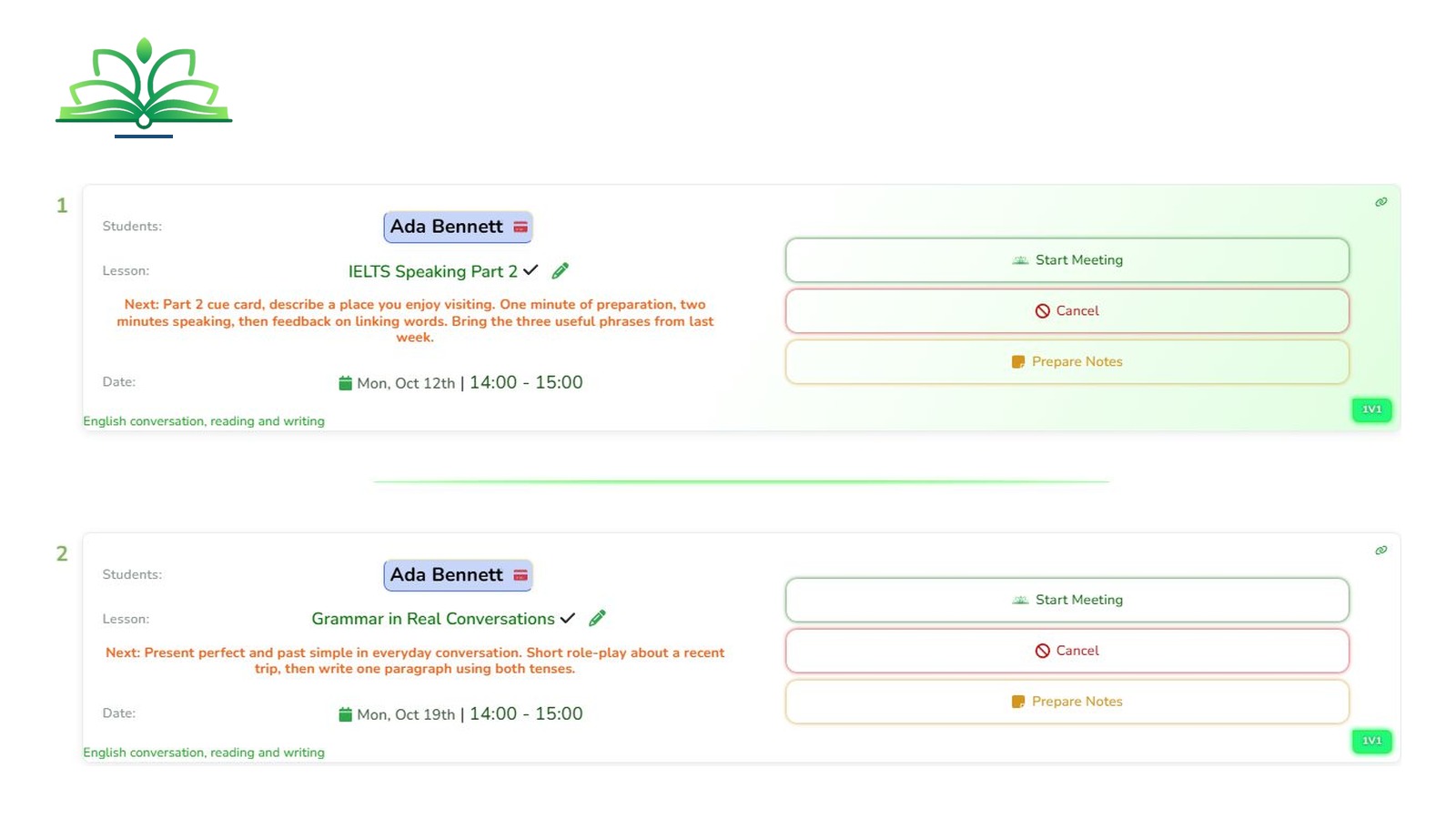
If Sunday night still feels like admin catch-up, you are not alone. Independent online teachers often lose evening time rewriting notes, rebuilding progress stories for parents, and answering students who never got a clear next step.
You already know how to teach. The gap is the system around the lesson: notes, progress, and follow-through in one place so Monday starts calm. For recurring slots and booking rules, see our practical scheduling guide. Here we stay with what happens after class.
What the scramble looks like
- Lesson notes sit in a notebook, a chat, and a forgotten file.
- A parent asks how their child is doing, and you rebuild the answer from memory.
- Students leave without a practice task, so Monday fills with "What should I do?" messages.
- Attendance notes never meet the materials students open.
That is scattered information, not a teaching problem. Fix the record once and Sunday becomes review, not reconstruction.
Keep class notes with the lesson
Capture three lines while the lesson is fresh:
- What you covered.
- What the student did well or found hard.
- What they should practise next.
Put those notes on the lesson record, not only in chat. When notes sit next to attendance and history, prep is faster and parent updates stop needing a long rewrite. On Let's Learn Today, Class Notes & Reports sit with Student Management tools for progress, attendance, performance, and reports.
Notes help you. Clear next steps help the student. Keep both in the same place.
Make progress visible without inventing metrics
Students and parents need a simple picture over time. Start with consistent records:
- Attendance that matches what happened.
- Short performance notes tied to real lessons.
- Reports you can pull when a parent asks.
Progress Tracking on Let's Learn Today monitors development with analytics and custom reports. Pair it with Payment Tracking when invoices need to follow completed work. Stay grounded: the platform simplifies admin so you can focus on teaching. The site describes automated scheduling as saving hours weekly. Beyond that, trust your own records.
Help students organise between lessons
- Give every student (or parent) one place to open materials and see progress.
- Leave a concrete practice task after each class.
- Keep communication in the same workspace as schedules and notes.
Students on Let's Learn Today can access materials, track progress, and stay connected with teachers. Profiles are provided by teachers, so you keep roster control while learners get a clear portal.
| Sunday task | Scattered | One workspace |
|---|---|---|
| Prep next lessons | Hunt chat and old files | Open notes tied to each lesson |
| "How are they doing?" | Rebuild from memory | Review attendance and reports |
| Homework clarity | One-off messages that get lost | Next steps where students already track progress |
A simple weekly rhythm
- After class: notes and the next practice task.
- Midweek: glance at attendance and open questions.
- Sunday: review what is already recorded. Adjust focus. Stop hunting for missing pieces.
Where Let's Learn Today fits
Let's Learn Today is an all-in-one platform for individual teachers. The Individual Teacher plan includes Unlimited Students, Smart Scheduling, Student Management, Payment Tracking, Class Notes & Reports, and Email Support. Staging pricing is simple for teachers; invited students stay free; pay in your currency with PayStack. 30-day free trial. Individual Teacher plan $10/mo (International, USD, monthly via PayStack), with invoices, student portals, multi-timezone tools, and cancel anytime.
See pricing or create a teacher account when you want one place for notes, progress, and student access.
Bottom line
Write things down once, where students and parents can use them too. Keep notes with the lesson, make progress easy to read, and give learners a clear next step. Organisation after the lesson turns a busy week into a calm plan for the next one.